Using a streaming stick is usually your best option for reliable, versatile streaming on your projector. Built-in apps often lag behind in updates, have limited selections, and can be affected by Wi-Fi issues. A streaming stick offers broader app compatibility, ongoing updates, and a more stable connection, making streaming smoother and more convenient. Want to discover how each option compares and which might suit your setup better? Keep exploring to find out more.
Key Takeaways
- Streaming sticks offer broader app compatibility and more frequent updates than built-in apps.
- Built-in apps provide integrated convenience but often have limited selection and outdated interfaces.
- Streaming sticks deliver more reliable and stable Wi-Fi connectivity, reducing buffering issues.
- External devices are portable and easy to switch between projectors, enhancing flexibility.
- Overall, streaming sticks tend to provide a better streaming experience with faster updates and broader support.
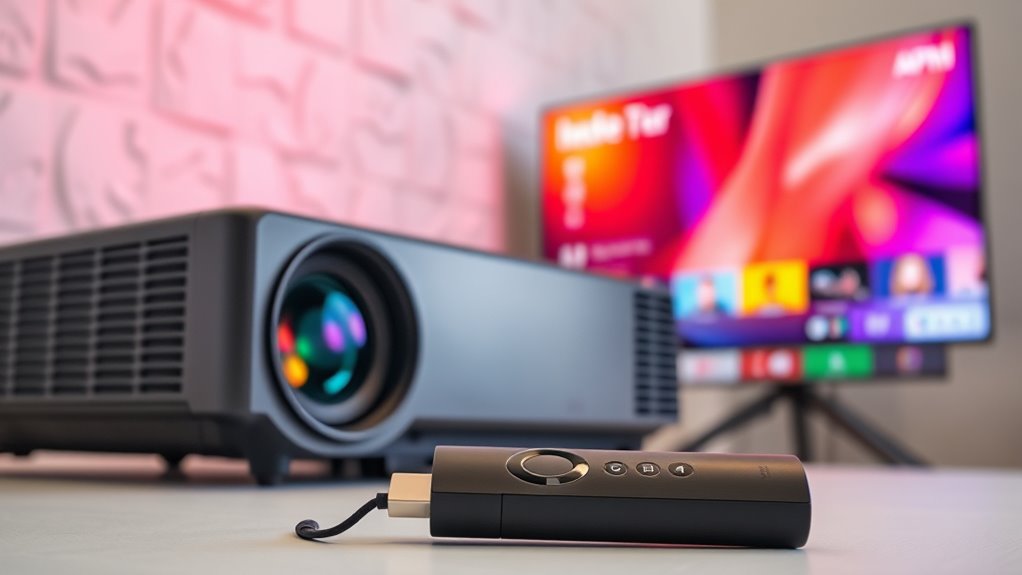
When it comes to streaming your favorite shows and movies, you might wonder whether to rely on built-in apps or invest in a streaming stick. Both options have their advantages, but understanding how they differ can help you choose the best method for your projector setup. Built-in apps are integrated directly into your projector’s operating system, offering a straightforward, all-in-one experience. You can access popular streaming services like Netflix, Hulu, or Disney+ without needing extra devices. However, the app compatibility of built-in systems varies widely. Some projectors may have limited app selections, outdated interfaces, or slow updates, which can hinder your viewing experience. Additionally, the wireless connectivity of built-in apps depends on the projector’s Wi-Fi capabilities. If your projector has a weak or unreliable Wi-Fi connection, streaming through built-in apps might result in buffering or dropped signals. This can be frustrating, especially if you’re trying to enjoy a seamless movie night.
On the other hand, streaming sticks like Chromecast, Roku, or Fire TV are designed to enhance wireless connectivity and app compatibility. These devices connect to your projector via HDMI, transforming it into a smart streaming hub. They typically have better support for a broad range of apps and are regularly updated to include new features and streaming services. Because they rely on your home Wi-Fi network, a good-quality streaming stick can provide a more stable, consistent connection, reducing lag and buffering issues. Plus, many streaming sticks are portable and easy to set up, allowing you to switch between different projectors or screens effortlessly. They also support multiple wireless protocols, which can improve overall connectivity, especially in homes with complex Wi-Fi setups or multiple devices competing for bandwidth. This flexibility means you’re less likely to experience compatibility issues with your favorite apps and services. Moreover, high refresh rates in projectors can help ensure smoother playback during streaming, especially for fast-paced content.
![Projector-4K with WiFi and Bluetooth:[3000 ANSI/40W Dolby Audio/Official Licensed Apps], Outdoor-Projector with Smart OS 2.0 & AI Auto Focus,ONOAYO ONO5Pro 2.0 Smart Movie Projector for Indoor/Outdoor](https://m.media-amazon.com/images/I/411TCiwZ0EL._SL500_.jpg)
Projector-4K with WiFi and Bluetooth:[3000 ANSI/40W Dolby Audio/Official Licensed Apps], Outdoor-Projector with Smart OS 2.0 & AI Auto Focus,ONOAYO ONO5Pro 2.0 Smart Movie Projector for Indoor/Outdoor
[Hear the Difference–Hollywood-Grade Dual 40W Dolby Audio] Why spend $500 on a TV + soundbar or settle for...
As an affiliate, we earn on qualifying purchases.
Frequently Asked Questions
Can Built-In Apps Be Upgraded or Updated Easily?
Built-in apps can often be upgraded, but it depends on your projector’s firmware updates and app compatibility. You should regularly check for firmware updates from the manufacturer, as they can improve app performance and add new features. Keep in mind that some apps may not be compatible with older firmware versions, so staying current guarantees smoother streaming. Usually, these updates are straightforward through your projector’s settings menu.
Are Streaming Sticks Compatible With All Projector Brands?
Streaming sticks are generally compatible with most projector brands, but device compatibility can vary depending on the specific model. You might face brand limitations if your projector lacks an HDMI port or supports certain input types. Before purchasing, check your projector’s specifications and verify it supports the streaming stick’s connection requirements. This way, you avoid compatibility issues and enjoy seamless streaming regardless of your projector’s brand.
What Is the Average Lifespan of a Streaming Stick?
The average lifespan of a streaming stick is about 3 to 5 years. You’ll notice device durability can vary based on usage and build quality, but generally, they last quite a while. To maximize lifespan, choose energy-efficient models that generate less heat and reduce wear. Proper handling and keeping your device updated can also help extend its functionality, ensuring you get the most out of your streaming experience.
Do Built-In Apps Support 4K or HDR Content?
Built-in apps often support 4K and HDR content, but their limitations can vary depending on your projector’s software and hardware. You might encounter built-in app limitations that prevent full HDR or 4K playback. Streaming stick updates tend to improve compatibility and performance, ensuring smoother 4K and HDR streaming. If you want the best quality, using a streaming stick can be more reliable, but check your projector’s specifications and update options first.
Is There a Significant Difference in Latency Between the Two Options?
When it comes to latency comparison, built-in apps often have a slight edge over streaming sticks, making them better for gaming performance. You won’t be waiting around for content to load, but the difference isn’t huge—it’s a case of “split hairs.” If you’re serious about low latency and smooth gameplay, built-in apps tend to be more reliable. For casual streaming, a good streaming stick usually suffices.

Official Licensed Google TV Smart Projector, HAPPRUN 4K UHD Home Theater with Dolby Sound, Wi-Fi & Bluetooth, Built-in Streaming Apps, Compatible with Games Consoles & Smartphone, Indoor & Outdoor Use
[ Built-in Official Licensed Google TV ] - Without additional equipment, the smart projector can directly access Netflix,...
As an affiliate, we earn on qualifying purchases.
Conclusion
Ultimately, choosing between a streaming stick and built-in apps is like picking a trusty map or a GPS: both guide you to your favorite shows, but one offers more flexibility and adventure. A streaming stick is your portable compass, ready to navigate any projector’s landscape, while built-in apps are the fixed lighthouse, steady but less adaptable. Whichever path you choose, you’ll illuminate your entertainment universe and enjoy a seamless journey through your favorite content.

WALI Projector Mount Ceiling/Wall - Universal 3-in-1 Bracket with Extension Pole, Height Adjustable Holder for LCD/DLP Projectors, Supports up to 44lbs (PM-003-W), White
Compatibility: Universal Projector Mount Bracket for Both Ceiling and Wall Installation. Applicable to mounting holes distance between 8.9’’to...
As an affiliate, we earn on qualifying purchases.

ViewSonic PX701-4K UHD 4K Projector with 3200 Lumens, 240Hz, 4.2ms, HDR, Auto Keystone, Dual HDMI for Home Theater
4K Home Theater Projector: UHD (3840x2160p) 4K resolution with a 1.5-1.6 throw ratio and 3,200 ANSI lumens perfect...
As an affiliate, we earn on qualifying purchases.