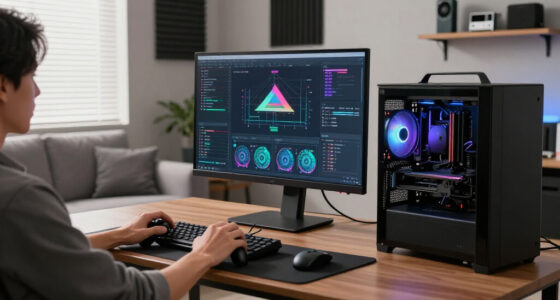

Resolution describes how many pixels your screen displays, affecting how clear and detailed images appear. 720p, or HD, has 1280×720 pixels, suitable for small screens and basic use. 1080p, full HD, with 1920×1080 pixels, offers sharper images for most devices. 4K, with 3840×2160 pixels, provides stunning clarity and detail, especially on larger screens. Understanding these differences helps you choose the best quality for your device—plus, there’s more to discover about how resolution influences your viewing experience.
Key Takeaways
- 720p, 1080p, and 4K refer to different screen resolutions measured in pixels, affecting image detail and clarity.
- 720p (1280×720) is basic HD, suitable for small screens and casual viewing.
- 1080p (1920×1080) offers better sharpness, ideal for most TVs and monitors.
- 4K (3840×2160) provides four times the pixel count of 1080p, supporting larger screens without quality loss.
- Higher resolution improves image clarity and immersion but also requires more powerful devices and bandwidth.

Have you ever wondered what resolution really means, especially in the context of images, screens, or displays? At its core, resolution refers to the amount of detail a screen can show, usually measured in pixels. The more pixels a display has, the sharper and clearer the image appears. But resolution isn’t just about total pixel count; it’s also influenced by pixel density, which measures how many pixels are packed into a given space. Higher pixel density means more pixels per inch, resulting in crisper images and smoother visuals. For example, a smartphone with a high pixel density delivers sharp text and detailed images, even on small screens. Alongside pixel density, aspect ratio plays a fundamental role. Aspect ratio describes the proportional relationship between a display’s width and height, such as 16:9 or 4:3. This ratio determines the shape of the screen and affects how images, videos, and games appear. A 16:9 aspect ratio is standard for most TVs and monitors because it’s well-suited for widescreen content, giving a wider, more immersive experience. When considering resolution, understanding aspect ratio helps you gauge whether a display will suit your needs, especially when viewing movies or working with graphic content.
Different resolutions like 720p, 1080p, and 4K represent increasing levels of pixel count, affecting both clarity and detail. 720p, also called HD, has a resolution of 1280×720 pixels. It’s sufficient for basic viewing or smaller screens but can look pixelated on larger displays. Moving up, 1080p, or Full HD, has a resolution of 1920×1080 pixels, offering a noticeable improvement in sharpness and detail, ideal for most TVs, monitors, and gaming consoles. Then there’s 4K, which features a resolution of 3840×2160 pixels, four times the pixels of 1080p. This results in stunning clarity and allows for larger screens without sacrificing image quality. When you choose a resolution, think about the pixel density and aspect ratio that best fit your viewing habits. For instance, a 4K display with a 16:9 aspect ratio will give you crisp images and a broad viewing area, perfect for immersive movies or professional editing. Conversely, if you prefer a more compact device like a smartphone, a high pixel density combined with a suitable aspect ratio ensures you get sharp text and detailed visuals without straining your eyes.

INSIGNIA 50" Class F50 Series LED 4K UHD Smart Fire TV, Voice Remote with Alexa, Stream Live TV Without Cable
- 4K Ultra HD Resolution: Enjoy stunning 2160p HDR10 content
- High Dynamic Range: Vivid colors and sharp contrast
- All-in-One Streaming: Access Prime Video, Netflix, Disney+, Hulu, and more
As an affiliate, we earn on qualifying purchases.
As an affiliate, we earn on qualifying purchases.
Frequently Asked Questions
How Does Resolution Affect Gaming Performance?
Higher resolution improves your game’s visuals but can reduce your frame rate, especially if your hardware isn’t powerful enough. When you increase graphics settings, like resolution, your system needs to work harder, which may cause lag or stuttering. To maintain smooth gameplay, you might need to lower resolution or other graphics settings, ensuring a higher frame rate and a better overall gaming experience.
Can Higher Resolution Improve Video Editing Quality?
Yes, higher resolution can improve your video editing quality by offering better detail and color accuracy. It allows you to see finer nuances, making color grading and corrections more precise. However, it also increases file size, so you’ll need more storage and powerful hardware to handle the larger files smoothly. Using higher resolutions enhances the overall quality but requires balancing your system’s capabilities and storage considerations.
Is 4K Necessary for Casual Viewing?
You might wonder if 4K is necessary for casual viewing, but the truth is, resolution myths often exaggerate its importance. If your display size is small, like a tablet or phone, 4K isn’t a game-changer. For larger screens, it offers sharper images, but you can still enjoy great quality with 1080p. Ultimately, it depends on your viewing habits and display size—don’t let resolution myths cloud your choice.
How Does Resolution Impact Battery Life on Devices?
Higher resolution displays, like 4K, can drain your device’s battery faster because they have increased pixel density, which requires more power to light up each pixel. You’ll notice a power consumption trade-off: sharper images versus shorter battery life. To conserve power, consider lowering the resolution or using power-saving modes, especially if you’re watching for extended periods. Lower resolutions still offer decent quality with less impact on your device’s battery.
What Is the Best Resolution for Virtual Reality?
For virtual reality, the best resolution is one that balances clarity and comfort. You should prioritize resolution scaling that reduces pixelation without causing eye strain, ensuring smooth visuals. Higher resolutions like 4K enhance immersion but may impact device performance. Ultimately, choosing a resolution that maintains virtual reality comfort keeps you engaged longer without discomfort, making your experience more enjoyable and immersive.

Sceptre New 22-Inch Gaming Monitor, FHD 1080p, Up to 144Hz, HDMI, DisplayPort, Built-in Speakers, Machine Black (E225W-FW144 Series, 2026)
- Built-in Speakers: Rich, seamless audio for work and gaming
- Blue-Light Shift Technology: Reduces blue light for eye comfort
- Minimal Bezel Design: Provides an unobstructed, wide view
As an affiliate, we earn on qualifying purchases.
As an affiliate, we earn on qualifying purchases.
Conclusion
Now that you know what each resolution means, think of your screen as a window into a vibrant world. Whether it’s 720p, 1080p, or 4K, each step up sharpens the view like upgrading from a sketch to a masterpiece. So, choose your resolution like picking a lens—closer, clearer, more breathtaking. Your perfect picture is just a decision away, turning your screen into a portal of endless detail and vivid storytelling.

Mini Projector, Portable Projector with Wifi and Bluetooth, Built in Apps
- Wireless Connectivity: Dual-band WiFi and Bluetooth 5.2 support
- Built-in Streaming Apps: Supports YouTube, Prime Video, Disney+
- Device Compatibility: Compatible with TV sticks (not included)
As an affiliate, we earn on qualifying purchases.
As an affiliate, we earn on qualifying purchases.
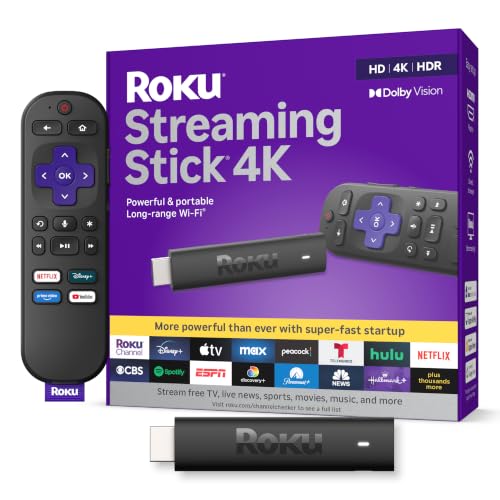
Roku Streaming Stick 4K with Voice Remote – HDR10+ & Dolby Vision
- 4K and Dolby Vision Streaming: Easy access to popular apps and free content
- High-Quality Picture: Sharp 4K resolution with vibrant colors
- Seamless Multi-Room Streaming: Works on any TV with long-range Wi-Fi
As an affiliate, we earn on qualifying purchases.
As an affiliate, we earn on qualifying purchases.